Using Templates
Project templates allow creating presetes which can be applied to any new project: codebooks, questions, input Excel file format (for survey analysis) and analysis parameters.
Create a codebook
If the same codebook is going to be used in many projects, then a codebook can be created and then added to templates or directly to projects.
In order to create a new codebook, open Settings panel and click "New Codes".
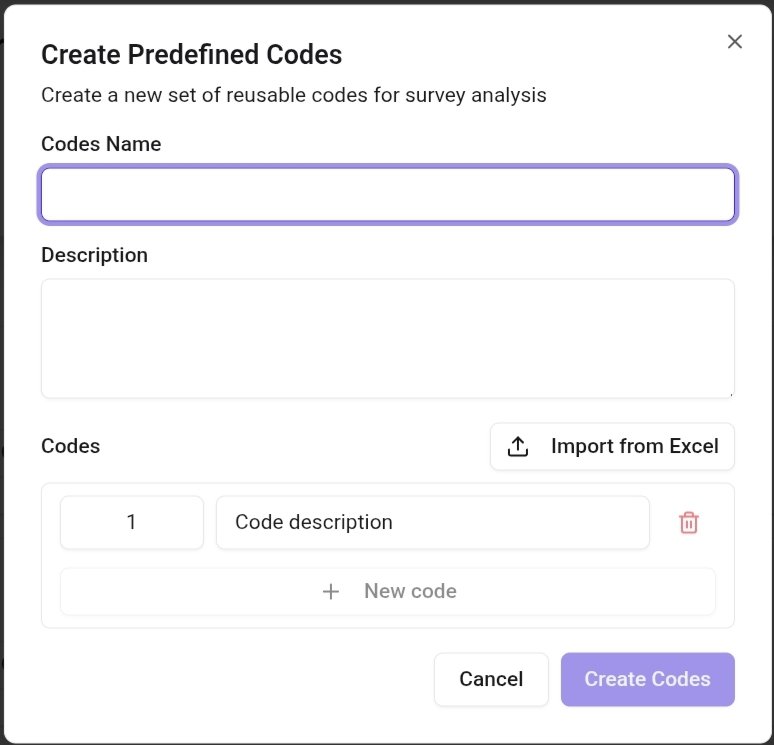
Codes can be manually created in the Create Predefined Codes dialog or exported from Excel file. Each code should have unique numerical identifier and a name. Code numbers are not required to be consecutive. For example, many researchers use codes 98 for "No ansewer" and 99 for "Others", regardless of the number of the remaining codes.
Create a template
Click on "Settings" on the left navigation panel and then click on "New template" button. In the new template dialog configure new template and save it.
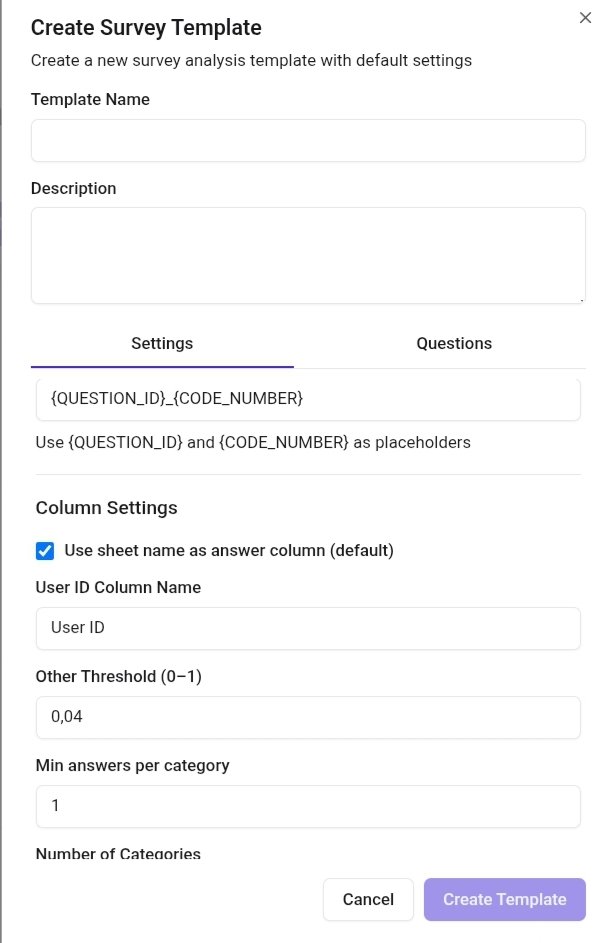
The following filds can be edited:
Template name (required) - name of the new template.
Description - optional description of the template.
Default predefined codes - choose codebook if predefined codes are going to be used in all projects created from the template.
Output column pattern - how to name columns with codes for each verbatim. One or two predefined variables can be used: QUESTION_ID - code of the question and CODE_NUMBER - ordinal number of the code of the current verbatim, if multiple codes are assigned to it. For example, a pattern "{QUESTION_ID}_{CODE_NUMBER}" for the question Q5 and third codes in the verbatim will create a column "Q5_3".
Use sheet name as answer column - check if a column with the answers has the same name as the sheet that contains it.
Answer column name (available if "Use sheet name as answer column" is not checked) - name of the column with the answers.
Other threshold - the maximal percentage of answers that get into the Other category.
Min answers per category - minimal number of answers allowed for each category. Not applicable to predefined categories.
Number of Categories - maximal number of categories
Freeze codes - limit the number of categories per answer, or allow any categories per answer.